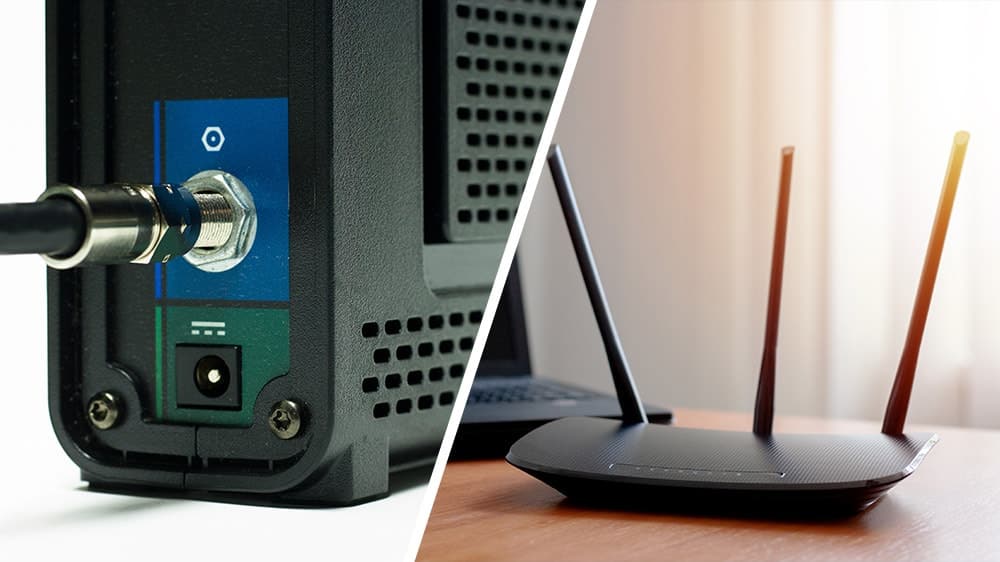
Trying to understand modem vs. router and what each one does? They’re two essential pieces of equipment that bring the internet into your home and share it with devices, but they have different functions. While they look similar, a modem is your gateway to the internet, and a router is the central hub for your home network. Discover the key differences and how they help you stay connected.
Key Takeaways:
- A modem connects you to your ISP: It takes the incoming signal from your provider and turns it into a connection your home network can use.
- A router shares that connection: It creates your home’s Wi-Fi network and directs traffic to each connected device.
- Most homes need both: A modem gets you online, but a router lets you connect more than one device or use Wi-Fi.
- Fiber swaps in an ONT: With fiber internet, an Optical Network Terminal often replaces the modem, converting light signals into data for your router.
What Is a Modem?
A modem is your direct link to the internet. It’s the device that communicates with your internet service provider (ISP), like Mercury Fiber, to bring internet service into your home. It takes the signal from the outside world (via fiber optic cable, coax or phone lines) and translates it into a digital signal that your devices can understand. The modem creates a Wide Area Network (WAN) and provides your home with a single public IP address.
How Does a Modem Work?
The term “modem” stands for “modulator-demodulator.” It modulates outgoing digital signals from your network into analog signals suitable for transmission over your ISP’s infrastructure and demodulates incoming analog signals back into digital form for your devices.
What Does a Modem Do?
- Signal conversion: The modem translates the internet signal coming into your home into data your network can use—and translates outgoing data so it can travel back over your internet connection.
- Connection point: It acts as the bridge between your home and your internet provider, giving your home network a path to the internet, whether over telephone lines, coaxial cables or fiber optics.
- Public IP address: The modem is assigned a public IP address, which identifies your home network on the internet. Think of a public IP address like your home’s mailing address for the internet. It tells internet traffic which network to reach so information can make its way back to your devices.
What Is a Router?
A router connects to the modem and distributes your internet signal to all of your personal devices, like computers and smart TVs. It creates a Local Area Network (LAN), allowing your devices to communicate with each other and the internet at the same time via Wi-Fi or Ethernet cables.
How Does a Router Work?
Think of the router as a traffic director. It ensures data sent between devices and to the internet goes where it needs to go, using the most efficient routes. Routers assign local IP addresses to each device, managing their access to the internet and each other.
What Does a Router Do?
- Network creation: Establishes a local area network (LAN) within your home, allowing devices to communicate with each other.
- Wireless connectivity: Provides Wi-Fi access so devices, such as phones, laptops and smart TVs, can connect to your home network without cables.
- Traffic management: Directs incoming and outgoing internet traffic efficiently, making sure the web page, video or other information you request reaches the device that requested it.
- Security features: The average smart home experiences nearly 30 cybersecurity attacks every day. A router provides built-in firewalls and security protocols to protect your network from unwanted internet traffic.
Internet Modem vs. Router: Key Differences
While both devices are crucial for internet connectivity, they have different roles; the modem brings internet into your home and the router shares it across your network.
| Modem | Router |
|---|---|
| Connects to your ISP—bridges your home network to the internet | Connects your devices—links multiple devices to the modem and to each other |
| Converts (translates) signals between your ISP and your home network | Creates a Local Area Network (LAN) inside your home |
| Typically connects to one device: The router | Manages traffic by directing data efficiently and securely between devices |
Do You Need Both a Modem and a Router?
Yes, you need a modem to access the internet and a router if you want to connect more than one device or use Wi-Fi. While some providers offer a “gateway”—a single device that combines both a modem and a router—keeping them separate can offer better performance and easier troubleshooting.
If you are using fiber internet, your modem is often replaced by an Optical Network Terminal (ONT), which performs a similar role, converting light signals into data. Understanding which device is which helps you optimize your placement for better signal strength and faster speeds.
Scenarios
- Using only a modem: You can connect a single device directly via Ethernet, but this limits you to one wired connection with no Wi-Fi or network between devices.
- Using only a router: Without a modem, the router can create a LAN for device communication, but it can’t access the internet.
Combined Devices
Some devices combine modem and router functions into one unit, known as a gateway or modem-router combo. While convenient, they may lack the advanced features of standalone routers.
How To Connect a Router to a Modem
Setting up your home network involves connecting your modem to your router.
- Power off: Turn off both devices.
- Connect modem: Plug the modem into your internet outlet (e.g., DSL, cable, or fiber line).
- Link devices: Use an Ethernet cable to connect the modem’s output port to the router’s WAN (Internet) port.
- Power on: Turn on the modem first, wait for it to establish a connection, then power on the router.
- Configure router: Access the router’s settings through a connected device to set up Wi-Fi networks and security.
Do You Need a Modem for Wi-Fi?
Yes, if you want to access the internet. The router provides Wi-Fi connectivity, but without a modem to connect to your ISP, you won’t have internet access.
Can You Use a Router Without a Modem?
- For internet access: No, you need a modem to connect to your ISP.
- For local networking: Yes, you can create a network for devices to communicate locally without internet access.
Understanding Modem-Router Combos
Advantages of Combo Units
- Convenience: Fewer devices to manage.
- Simplicity: Easier setup for basic networking needs.
Disadvantages
- Limited features: May lack advanced settings and customization.
- Upgrade limitations: Upgrading one function (modem or router) means replacing the entire unit.
The Role of Routers in Modern Networks
As internet speeds increase and more devices connect to networks, routers must handle a higher amount of data and complex tasks. By incorporating sophisticated algorithms and architectures, modern routers effectively handle the complexities of today’s internet traffic, ensuring smooth and efficient data flow.
Do You Need Both a Modem and a Router for Fiber Internet?
With fiber internet services, such as those offered by Mercury Fiber, the equipment setup might differ slightly.
Optical Network Terminal (ONT)
- Function: Acts like a modem for fiber connections, converting fiber optic signals into electrical signals.
- Placement: Installed by a technician, often outside or inside your home.
Router Still Required
You still need a router to distribute the internet connection to your devices via Ethernet or Wi-Fi. It is possible to use your existing router when you upgrade to fiber, as long as it has a Gigabit Ethernet WAN port to connect to your ISP’s Optical Network Terminal.
Why Mercury Fiber
Understanding the difference between a modem and a router helps you set up and manage your home network effectively. At Mercury Fiber, we’re here to ensure you have the right equipment and support for a seamless internet experience, whether you’re using fixed wireless or fiber connections. Every one of our fiber installations includes a professionally placed ONT and a Wi-Fi 6 or Wi-Fi 7 router matched to your plan, with no separate modem to buy or configure.
Check to see if Mercury Fiber internet is available at your address. Mercury proudly serves communities across Indiana, Kansas, Michigan, Missouri and Ohio, with fiber and fixed wireless internet options.